
Built around the one number that decides the outcome.
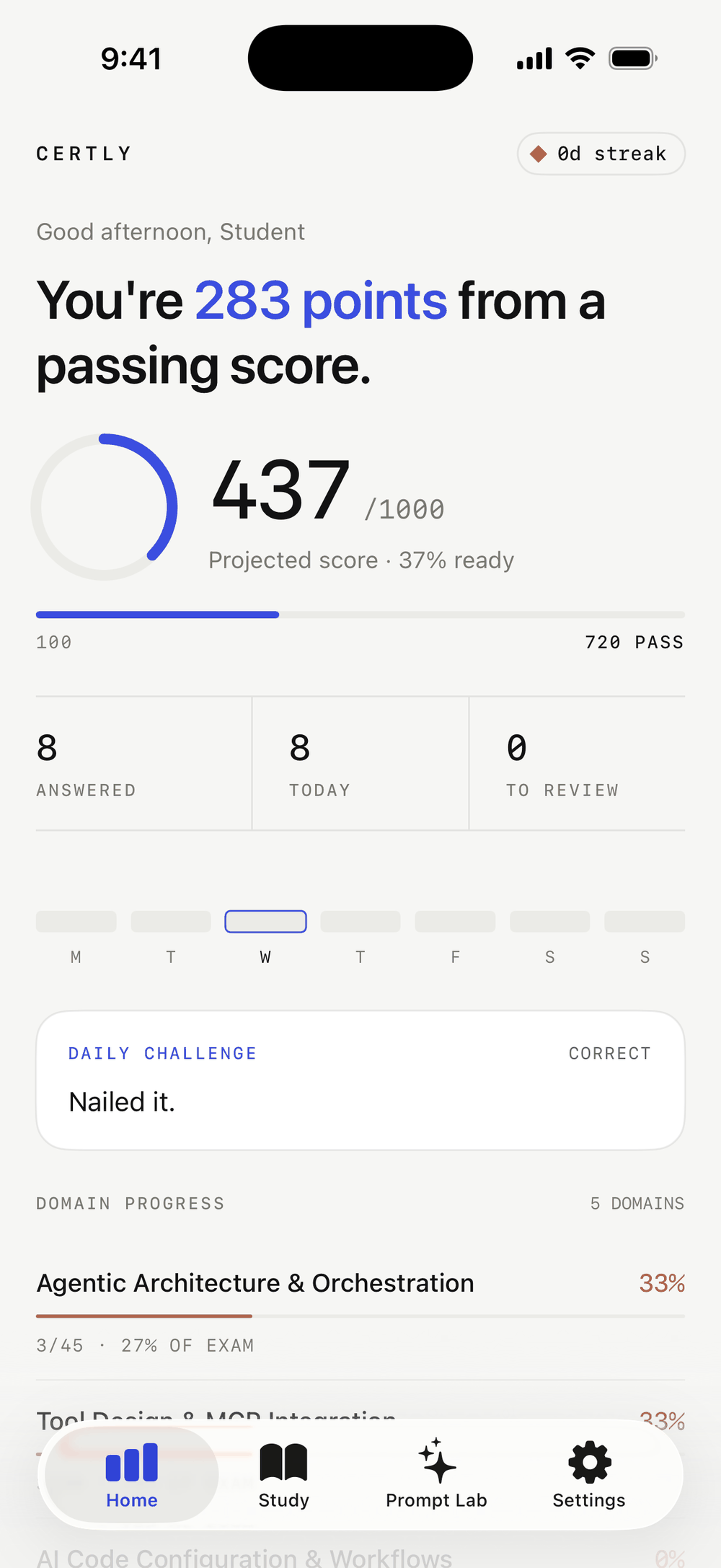
Most quiz apps report a percentage. The real exam reports a scaled score, weighted by domain, with the line at 720. Certly is built the second way, and every feature below exists to move that number.
A projected score, not a percentage.
Answer a few questions and the dashboard shows where you would land on the 100 to 1000 scale, how far that is from 720, and a readiness ring that fills as your coverage improves. Accuracy in each domain is multiplied by that domain’s official weight before anything is added up, so a strong showing in a 3% domain never disguises a weak one in a 33% domain.
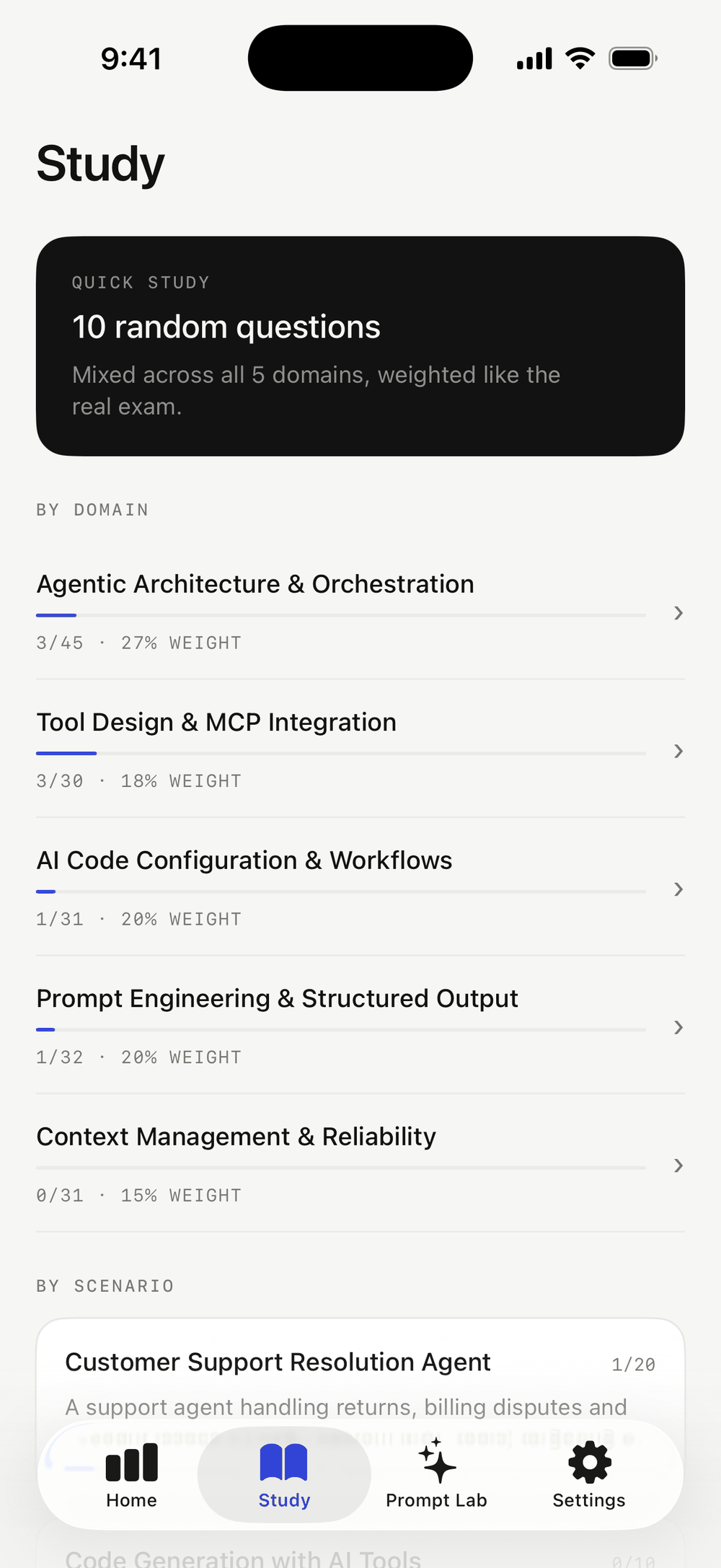
Three ways in, depending on how much time you have.
Quick Study deals ten questions mixed across every domain in the exam’s real proportions. Study by domain when one area is dragging the score down. On the Architect Foundations track you can also work through a single scenario end to end, from the same six the real exam draws on.
Every question carries a written explanation, and each explanation names the option it is discussing rather than a letter, so it still reads correctly when the order shuffles.
The same shape as the real sitting.
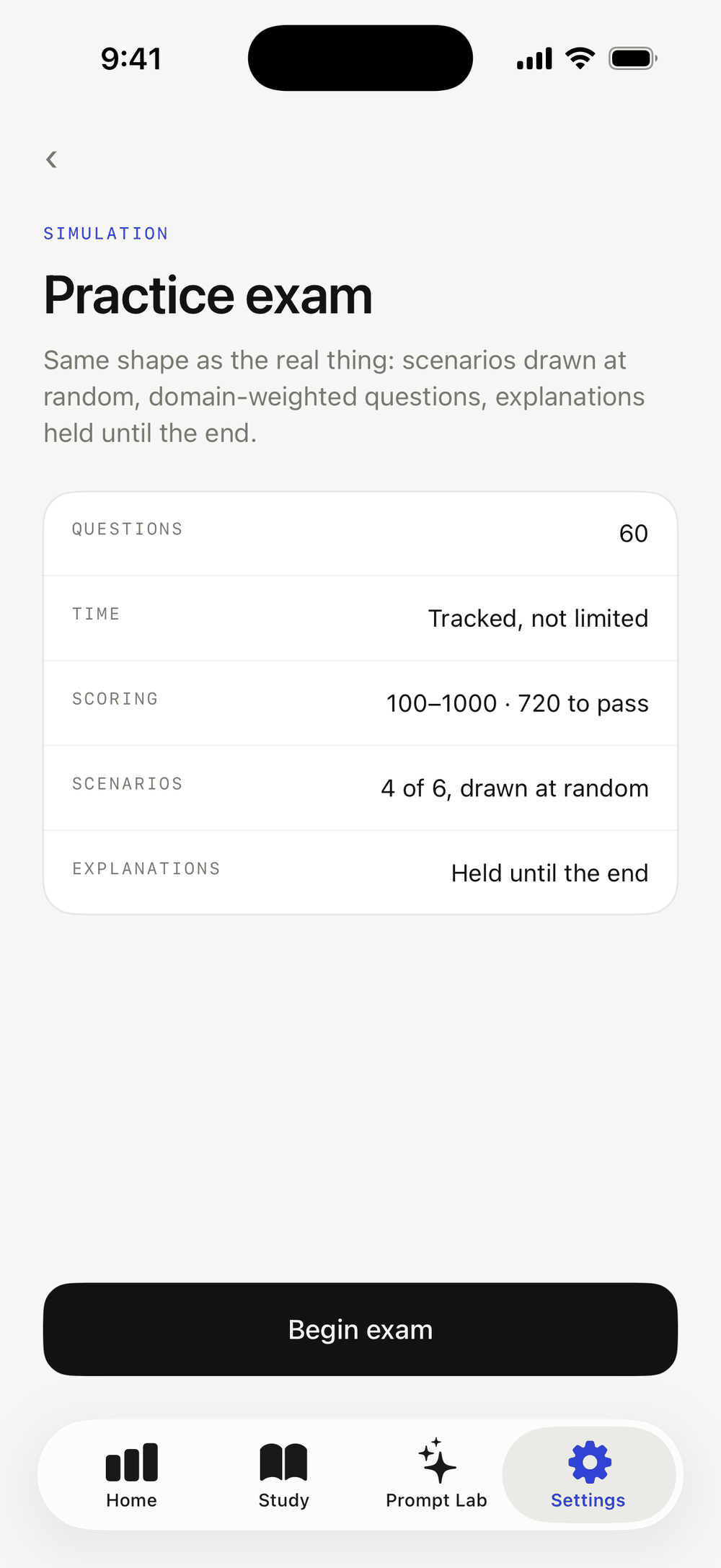
A simulation is sized to the exam’s real item count, drawn in domain proportions, with explanations held back until you finish. On the Architect Foundations track it pulls four scenarios from the bank of six, the way the real exam does. Time is tracked but never cuts you off.
The score report breaks the result down domain by domain and keeps a history, so you can tell whether the last four attempts are actually trending upward.
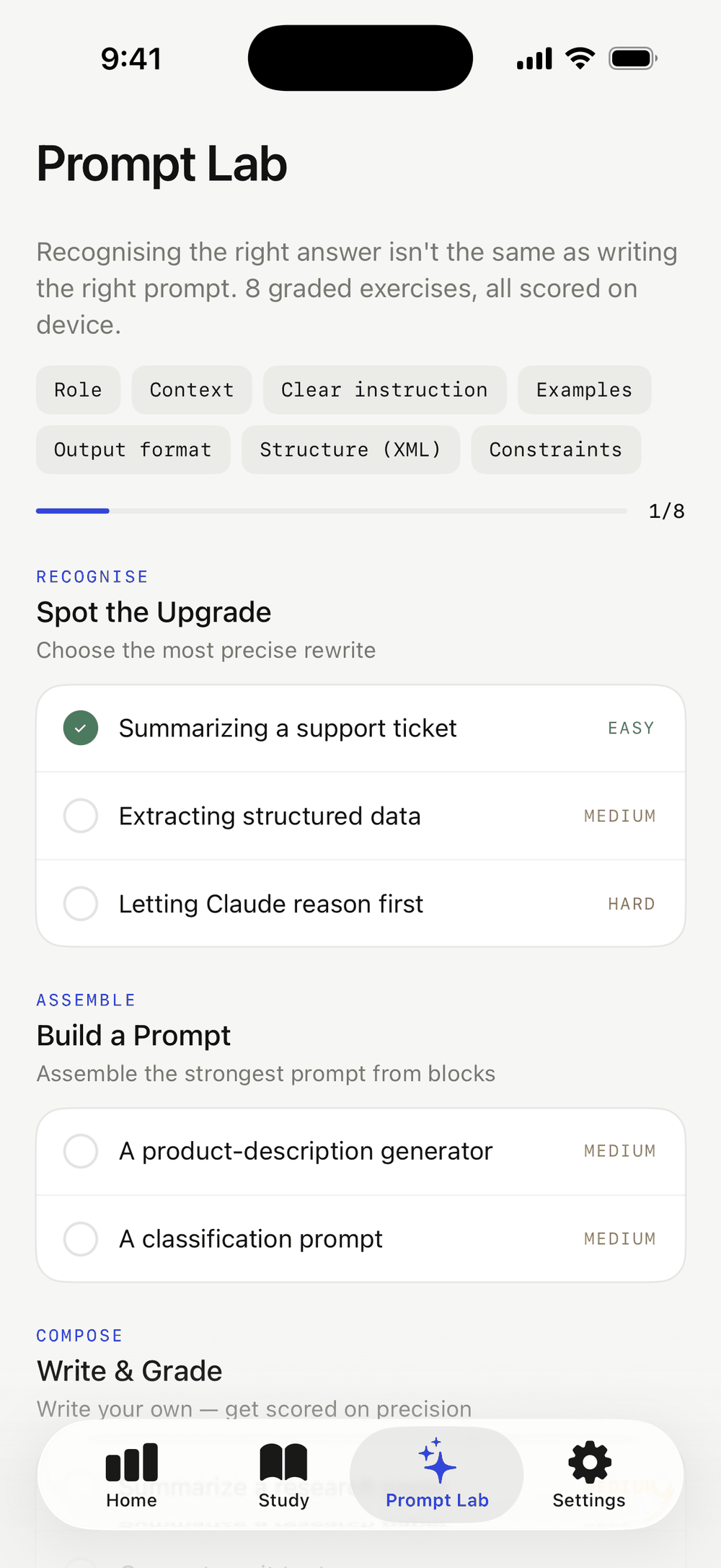
Practice writing prompts, not just recognizing them.
Eight exercises in three formats. Spot the Upgrade puts a weak prompt next to four rewrites and asks which one is genuinely more precise. Build a Prompt has you assemble one from blocks: role, context, clear instruction, examples, output format, structure and constraints. Write and Grade takes your own prompt and scores it against a seven-criterion rubric, then tells you what is missing.
The rubric runs on device. Nothing you type is uploaded, and the whole tab works on a plane.
The parts that keep you coming back.
Spaced repetition
Miss a question and it returns tomorrow, then at three, seven and fourteen days. Get it right each time and it retires. The dashboard always shows how many are due.
Daily challenge
One hard question a day, the same one for everybody, drawn from your exam’s bank. It keeps a streak counter of its own.
Streaks
Five questions marks the day as studied. The week strip on the dashboard shows the last seven days at a glance, with an optional daily reminder.
Achievements
Eight of them, from your first ten answers to clearing the entire bank. The bank-size ones adapt to whichever exam you are studying.
Multiple-response items
Sixteen questions ask for two answers and wait for you to submit. Marking is exact match with no partial credit, exactly like the real exam.
Optional account
Everything works signed out and stored on device. Create an account only if you want your progress to follow you to another device.
Content updates over the air
When a question is corrected or new ones are added, the app picks them up at launch. No App Store update, no account needed.
Dark mode
A full dark palette that follows the system, or lock it to light or dark in Settings.
Free, with one purchase
Every question and every mode is free. A single $4.99 purchase removes the ads for good. There is no subscription.
920 questions are waiting.
Free to start, and no account required.